


Screener.in is one of the fastest ways to check a company’s data. We have built a free tool on top of it to make that data even more useful. It is called Stock X-Ray.
You give it a company’s data and it lays out the numbers in the order you should read them. It is live now at finvezto.com/stock-x-ray

What it does
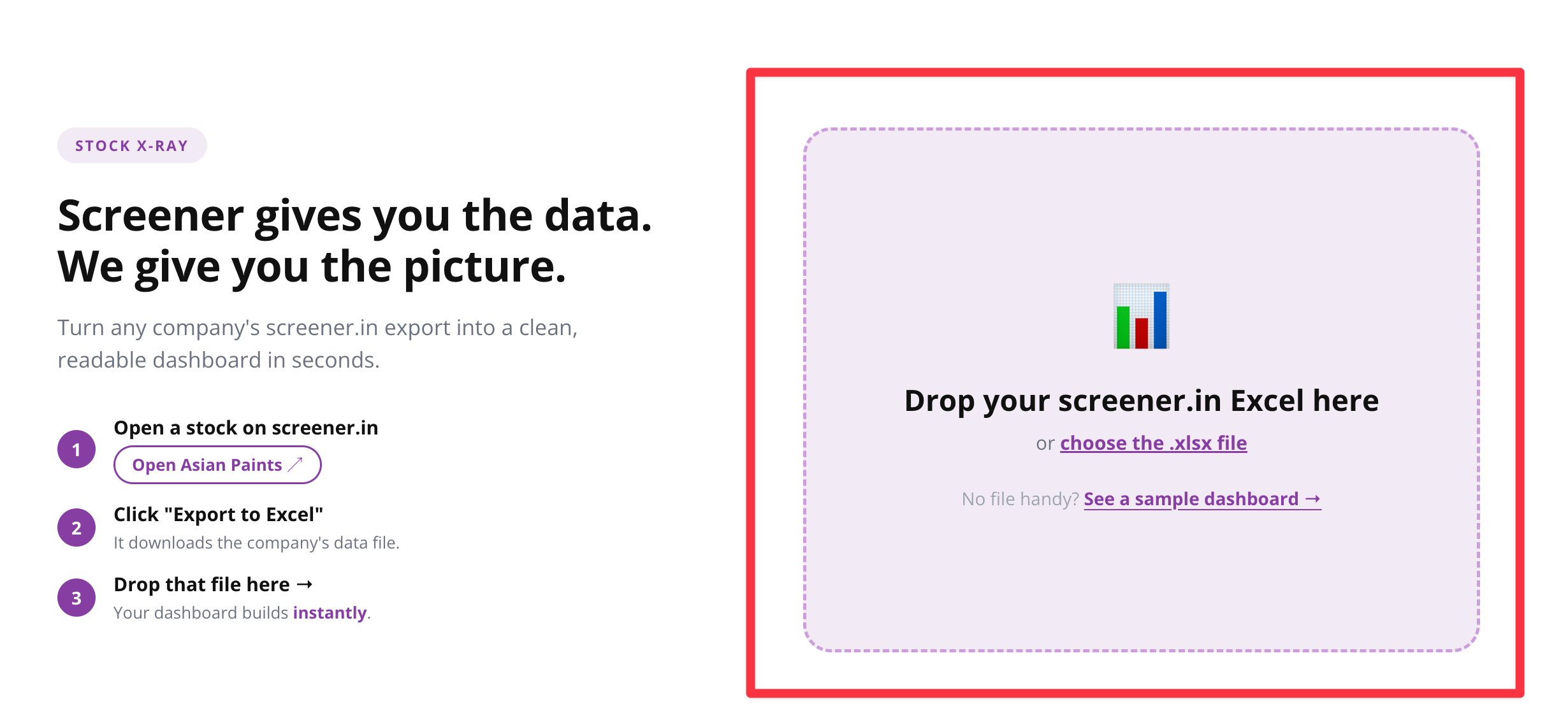
Export any company from Screener using its “Export to Excel” feature. Drop that file into Stock X-Ray. You get a clean dashboard of that stock in seconds. No login. You just drop the file and use it.
What is covered
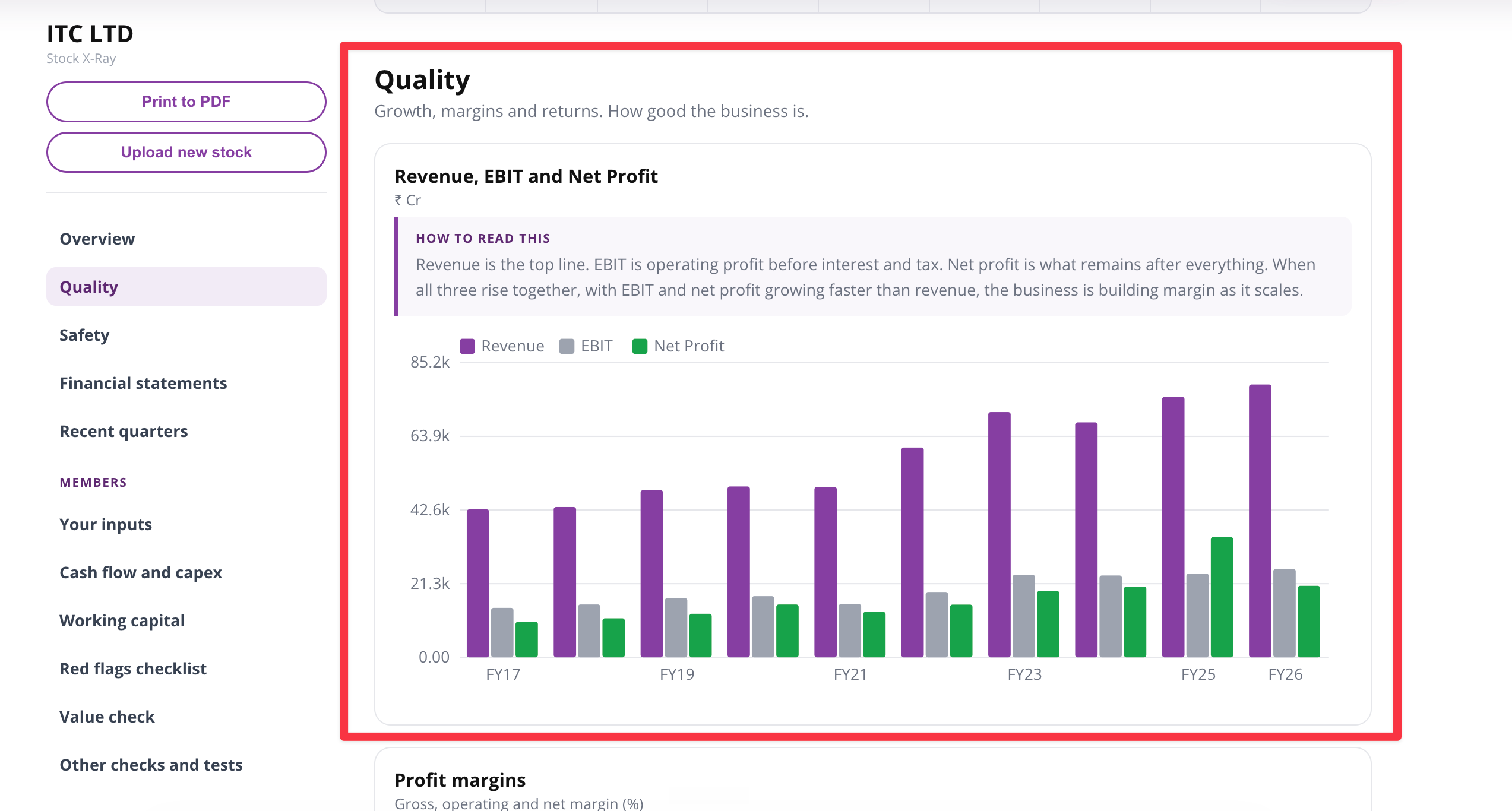
For every chart on the dashboard, we add a short note on how to read it. So you are not just looking at a chart. You also learn what it shows and what a healthy figure looks like.
How to use it
Step by step.
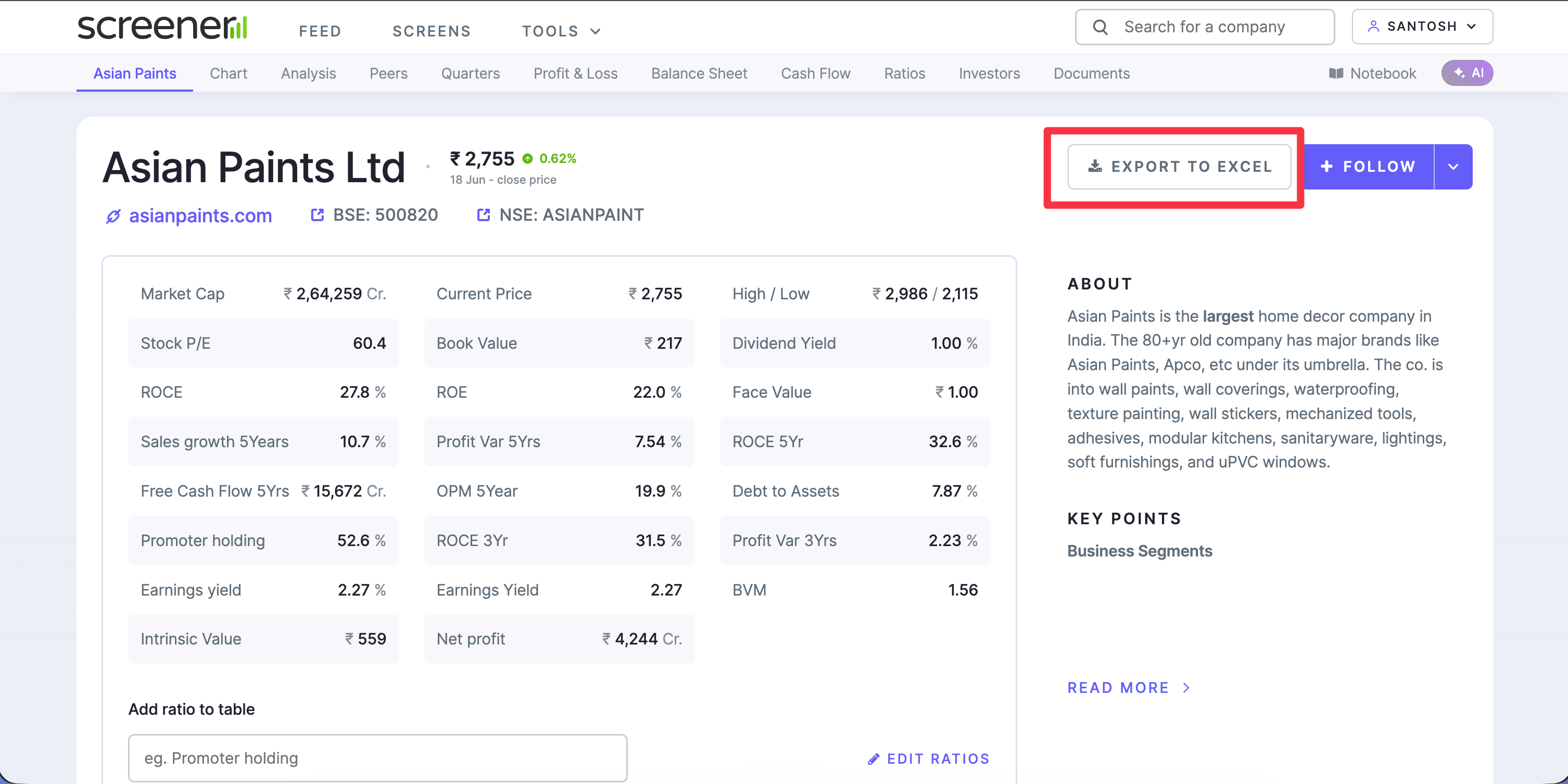
1. Open any company on Screener. For example, Asian Paints: https://www.screener.in/company/ASIANPAINT
2. Click Export to Excel. The file downloads to your computer.
3. Go to finvezto.com/stock-x-ray and drop that file on the page.
4. You get the full picture of the stock in seconds.
Try it on any stock you already follow. If something could be clearer, or you want a chart added, tell us. Your feedback makes the tool better.
Anand Ganapathy K | SEBI Registered Research Analyst | INH000016630
Stock X-Ray is an educational research tool. It presents public company data and standard valuation methods. It is not a recommendation to buy or sell any security.
Okay ji